 hr
hr
 si
si
 sr
sr
 cs
cs





Managing Job Applicants with Gecko HRM: A Recruiter’s View
Follow Julie's demo application to see how Gecko helps recruiters review context, prepare interviews and manage candidates across vacancies.

Maja Sušnik, Marketing Specialist
A candidate’s application shows a technical interview date that has already passed. Did the interview happen and the record still need updating? Or does the meeting need to be rearranged? Before contacting the candidate, the recruiter needs to know where things stand.
It’s an ordinary recruiting question, and a useful place to start. Gecko’s redesigned application experience brings the candidate’s next activity, contact details and hiring context into view. Together with Application Manager, it helps you review an individual application, prepare for the next conversation and work through candidates across several vacancies.
What Can You See When You Open an Application?
The application shows the vacancy, application date and current stage, alongside the next activity or deadline. Candidate contact details are visible too. The recruiter’s or hiring manager’s rating appears alongside the separate AI alignment assessment.
Once you know what needs to happen, clicking the candidate’s email address opens the email component. You can use an available template or write an individual message. If the interview needs rearranging, you can explain that directly. If it has already happened, the next job may simply be updating the application.
How Can You Prepare for the Next Interview?
Review the candidate’s CV, supplied details, screening answers and agreements alongside the hiring team’s notes. Related applications give you a view of earlier contact. Gecko keeps Chatter conversations in the application context, so people involved can exchange information and leave notes where the next reviewer can find them. An observer added here gets access to this application only.
That matters when you pick up a conversation someone else started. Before the candidate’s next interview, for example, the recruiter can check what has already been discussed and decide which questions still need attention. Asking a candidate to repeat their whole story is rarely the best use of the meeting.
How Does Candidate Insights Help You Prepare?
Where Candidate Insights is enabled, the recruiter agent compares the candidate’s CV with the requirements specified for the role. It explains the alignment and identifies strengths, concerns and suggested interview topics. Candidate Insights is an existing feature within this updated workflow.
Before the candidate’s next conversation, the recruiter could use those topics to plan questions, checking them against the CV and the role’s actual requirements. Treat concerns as points to explore with the candidate, including whether the CV leaves something unexplained. The recruiter still evaluates the evidence and decides what happens next.
Our Candidate Insights article takes a closer look at the CV analysis and the information it returns.
The next interviewer should be able to pick up the conversation with the candidate’s context already in view.
Can You Adjust an Individual Application’s Next Step?
An application follows the hiring process selected for its vacancy. Within that process, the recruiter can move it to another stage and choose how the existing steps are marked.
This gives the recruiter room to handle an individual situation while keeping its progress visible. Check what has actually been completed before making the change, so the record remains useful to everyone involved. Choosing the vacancy’s underlying hiring process is a separate setup decision.
How Do You Review Applications Across Vacancies?
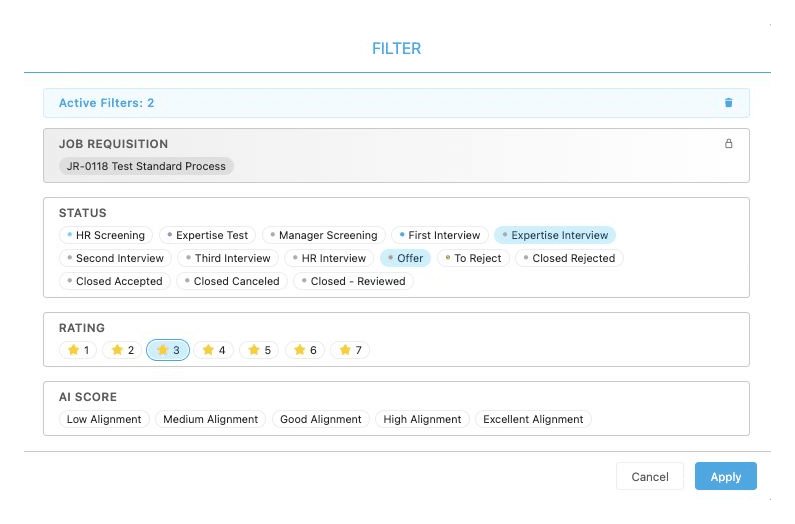
Open Manage Job Applications to filter records across requisitions, including by recruiter and status. A requisition is the record for a vacancy. Select the applications you want to work on, then choose View Selected Candidates to open that group in the applicant view.
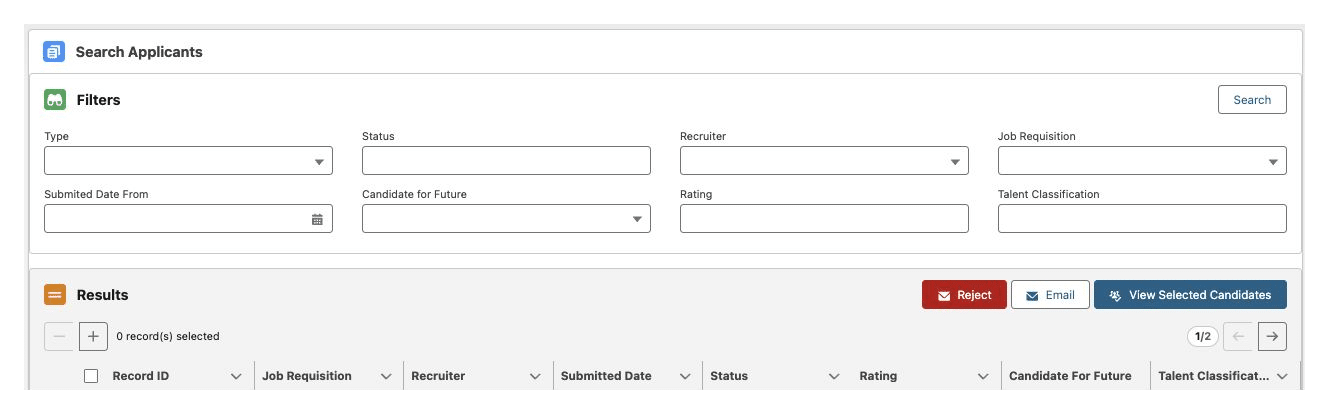
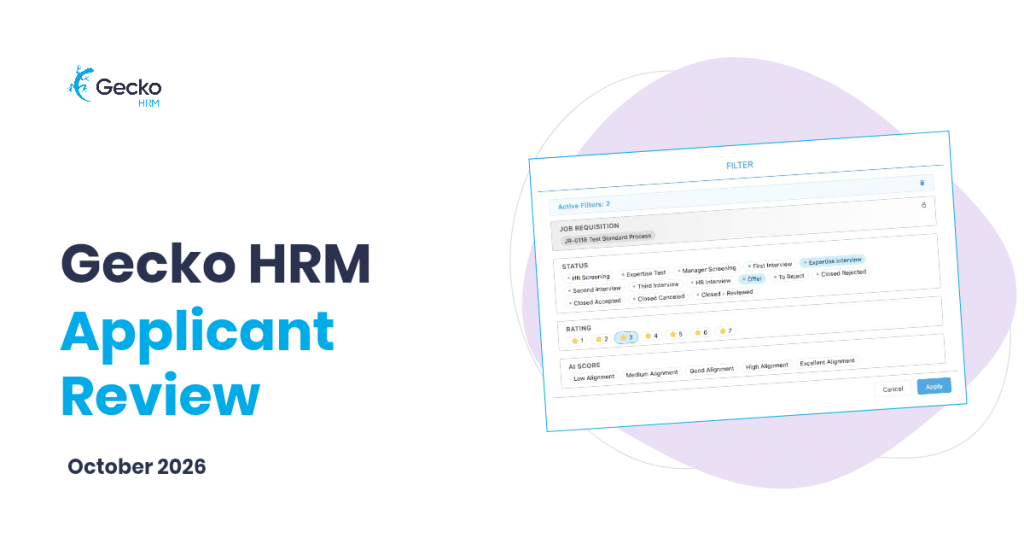
Let’s assume today’s task is HR screening for a finance role and a customer support role. You can bring those applications into one selection and navigate between them, reviewing each in the context of its vacancy. You can narrow that selected group further as you work.
If you’re already working within one vacancy, the applicant view also lets you move through its applications and filter by criteria such as status or rating. Start with the scope that fits the task.
How Can You Update Several Candidates at Once?
Application Manager supports group communication using predefined email templates. Select the affected applications, choose the appropriate configured template and send the update. This is useful when an interviewer’s availability changes and several candidates need to hear from you.
A postponement message can explain the delay and say that new dates will follow. Arranging those dates remains a separate task. Before sending, check that the wording applies to everyone selected. A candidate whose interview is going ahead should not receive a postponement email.
Where Should You Start?
Start with the next activity and decide what the candidate needs from you. For longer-term opportunities, general job positions and talent pools provide a separate route for candidates worth revisiting.
The new recruitment experience is available upon request. Existing customers can contact Customer Success about enabling it in their Gecko environment. Book a demo to see the application view and Application Manager together.
Watch our product team explain applicant review right here:


You might also like
View all posts