 hr
hr
 si
si
 sr
sr
 cs
cs





Create Consistent HR Documents Faster with Gecko Document Templates

Maja Sušnik, Marketing Specialist
HR teams create the same types of documents repeatedly. Employment contracts, onboarding forms, annexes and internal HR records often follow a standard structure, yet each document still needs the correct employee, job and organisational information.
When this process is handled manually, it creates unnecessary administration and increases the risk of inconsistent wording, missing information and outdated templates.
Welcome to Gecko’s DOCUMENT MANAGEMENT series:
- Document Templates (You are here)
- E-Signatures (Read more)
Gecko Document Templates help HR teams create accurate, standardised documents using data already stored in the system.
What Are Document Templates in Gecko?
Document Templates are predefined document structures used to generate consistent HR documents. They combine standard wording with dynamic system data, such as employee names, positions and dates. When a document is created, Gecko automatically fills the relevant merge fields with information from the selected employee or job record.

This means HR teams can generate personalised documents without repeatedly copying information into separate files.
Which Documentation Problems Do They Solve?
Document Templates are designed for HR teams that need to create large volumes of similar documents while maintaining consistency and control.
They can help solve common challenges such as:
- Creating every contract or annex from scratch
- Copying employee data between systems and documents
- Using different versions of the same template
- Applying inconsistent document titles or categories
- Sending documents through the wrong approval process
- Making the wrong templates available to different companies or HR teams
By creating a reusable structure, HR can spend less time on document administration and more time reviewing the content that actually requires attention.
How Does Gecko Generate Personalised Documents?
The source document contains merge fields that connect to data stored in Gecko. These fields act as placeholders for information such as an employee name, position, start date or other relevant record data.
When an HR user generates a document, Gecko replaces the merge fields with the correct system values.
For example, an employment contract template can include standard legal wording while automatically adding the employee’s details and job information. This supports a more reliable process and reduces the need for manual data entry.
How Can HR Teams Keep Document Creation Consistent?
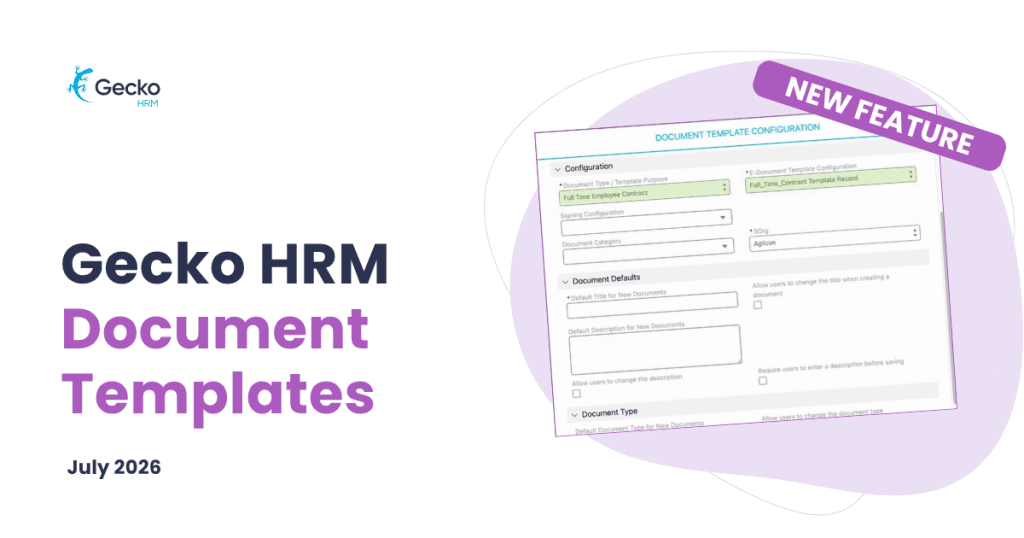
Each template can include default settings that apply whenever a new document is generated.
HR teams can define:
- A standard document title and description
- A document category and type
- Whether users can edit the title or description
- Whether certain fields are required
- Whether users can change the document type
- Which organisational context can use the template
These controls help organisations standardise document creation without removing all flexibility from HR users.
For example, a company may choose to lock the document type for employment contracts while allowing HR to adjust the document description for a specific employee situation.
Can Templates Support Several Companies in One Gecko Environment?
Yes. The organisational context setting determines where a document template is available.
This is useful when several companies, legal entities or HR teams share the same Gecko environment. The setting helps control which records each HR team can access and ensures that users see the correct templates for their organisation.
This reduces the risk of an HR user selecting a document intended for another company.
Can Document Templates Include Signature Requirements?
Document Templates can be connected to a signing configuration. This allows HR teams to define whether a document requires signatures and which roles should sign it, such as HR or a company director.
The configuration can also determine whether the completed document is emailed to all signers.

By combining templates with signing settings, organisations can create a more structured process for generating, approving and signing HR documentation.
How Are Template Updates Managed?
The file used to generate documents is uploaded directly to the template. When the wording or layout needs to change, HR can upload an updated version.
Gecko uses the most recently uploaded file to generate new documents. This gives HR teams a clear way to maintain current templates and reduce the risk of employees receiving documents based on outdated content.
Templates can also be activated or deactivated, making it easier to control which versions are available for use.
Who Benefits Most From Document Templates?
Document Templates are particularly valuable for HR teams that manage recurring employee documentation across multiple departments, locations or companies.
They support organisations that need:
- Consistent document wording
- Reliable use of employee data
- Clear document classification
- Controlled access to templates
- Defined signing processes
- A more scalable approach to HR administration
For regulated or security conscious organisations, a structured document process can also support stronger internal governance by reducing avoidable manual variation.

A More Reliable Way to Manage Recurring HR Documents
Gecko Document Templates provide the foundation for creating standardised, data driven HR documents. They bring together reusable content, employee information, document classifications and signing requirements in one configurable process.
The result is a faster and more consistent way to create the documents HR teams rely on every day.
To see how Gecko Document Management can support your HR processes, book a Gecko HRM demo.


You might also like
View all posts